Saturday, February 2, 2008

Protest in Kansas City


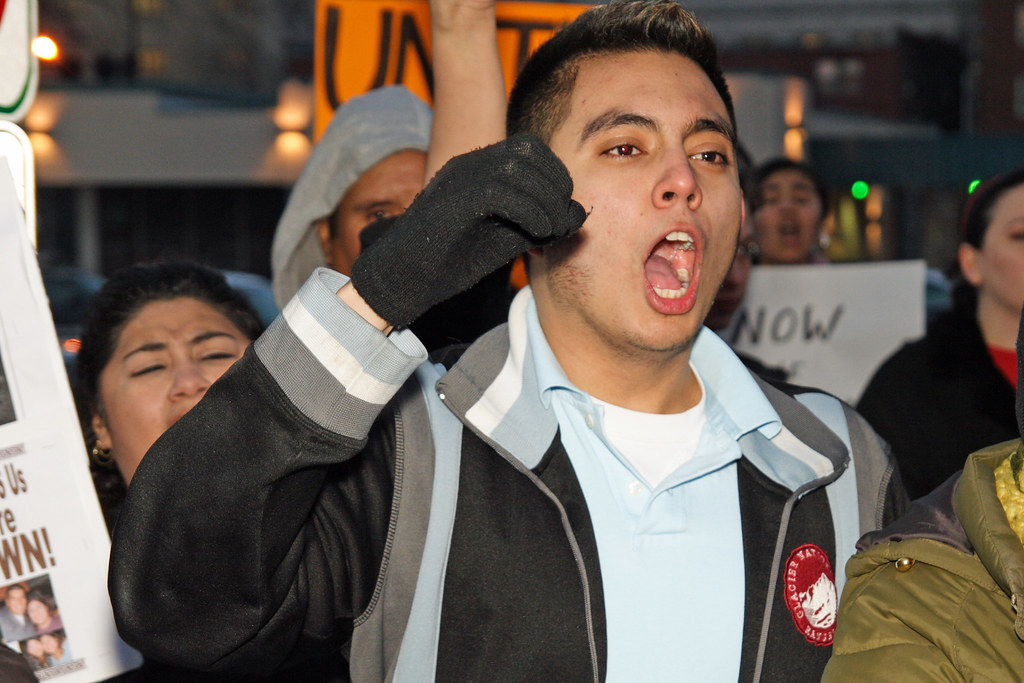
MM Protest 015
Originally uploaded by Chris in KC
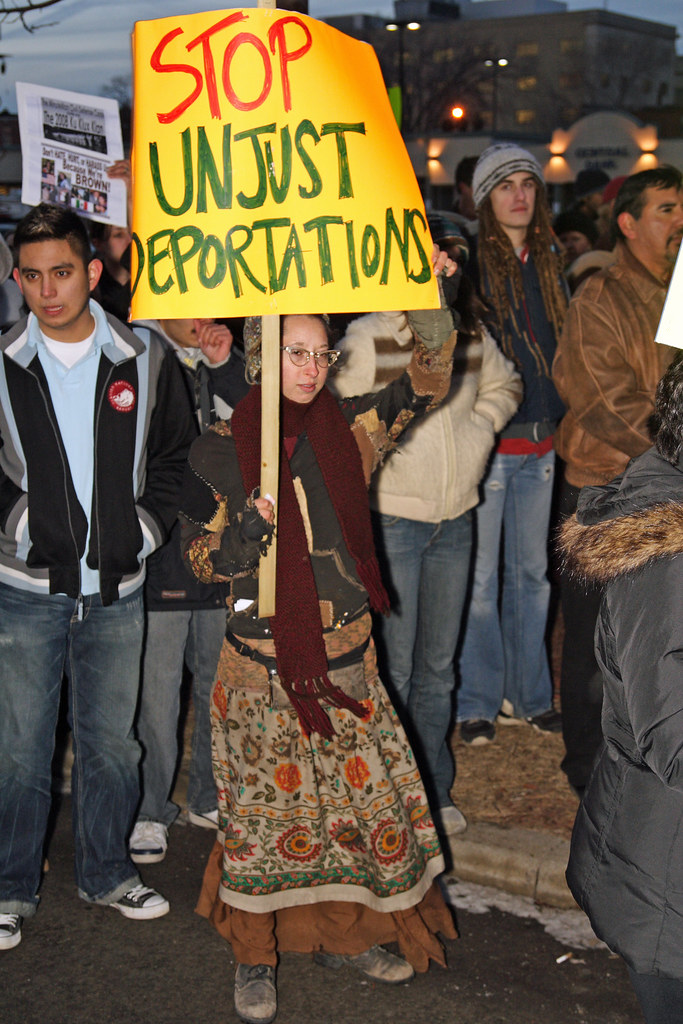
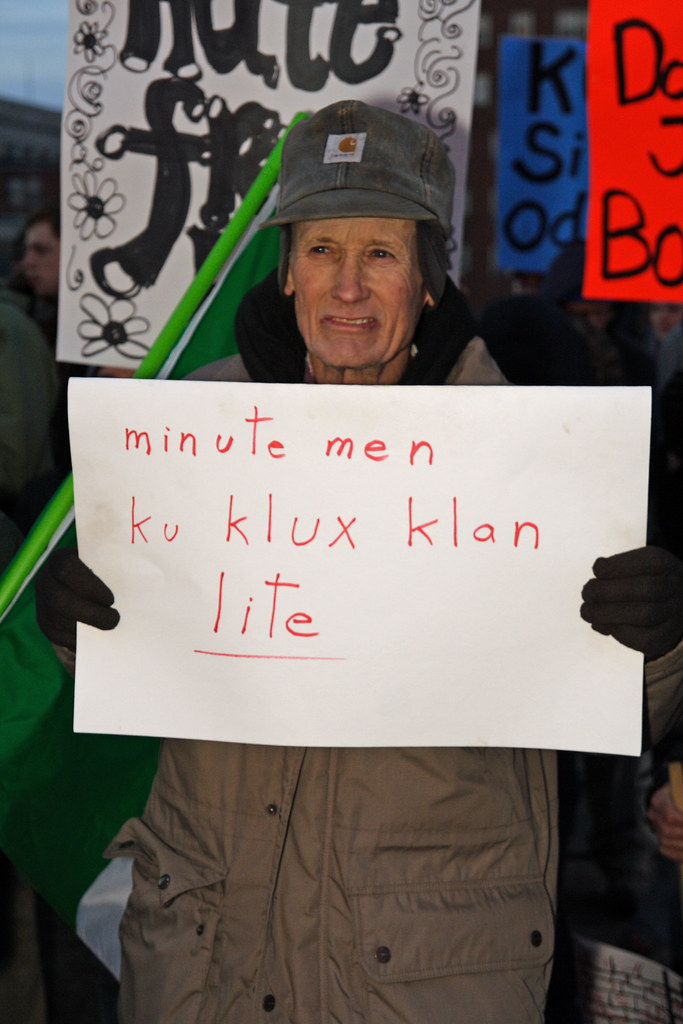
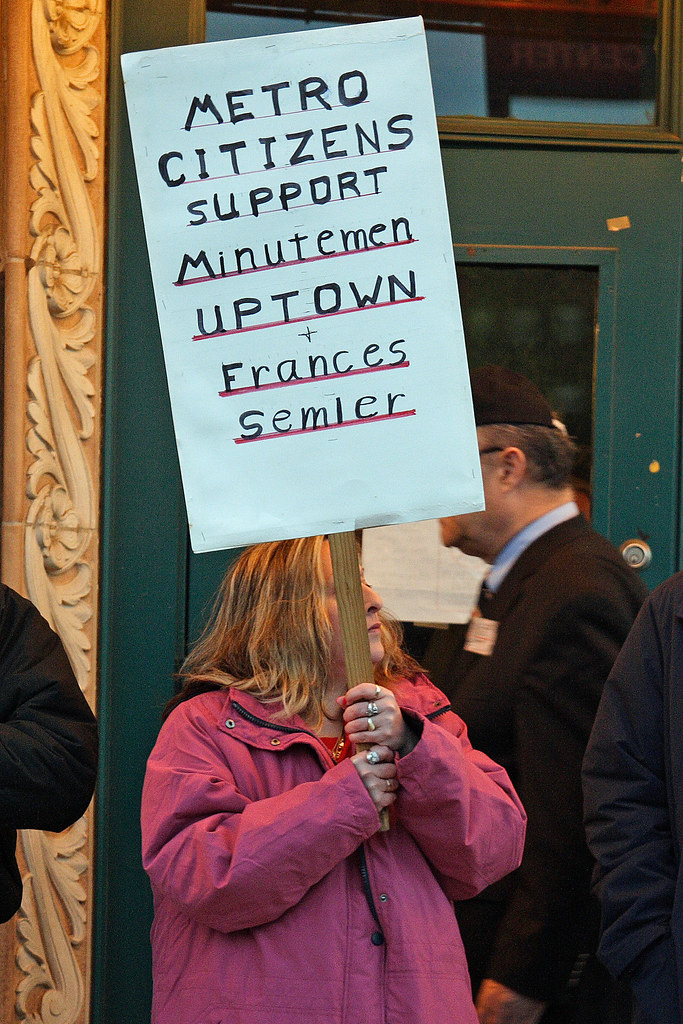
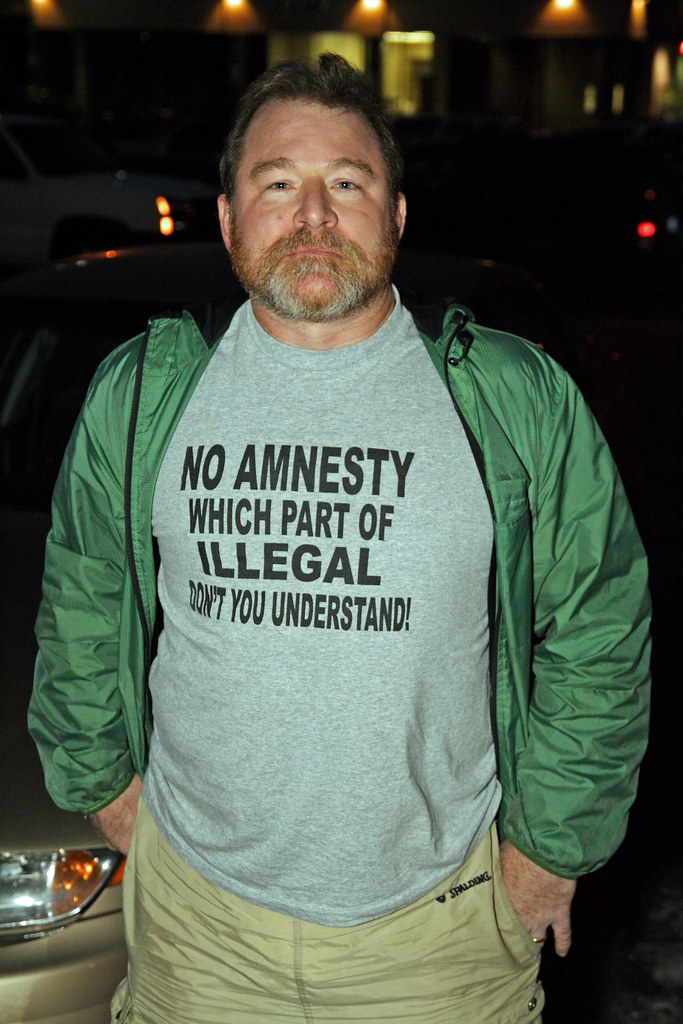
The Minutemen Civil Defense Corp held a recruitment rally in Kansas City on February 1, 2008. I have been wanting to photograph a protest for months and there were several groups who decided to protest against the Minutemen. I have always appreciated the photographs of significant historical events and even though this particular protest might not be that significant, I felt it needed to be photographed.
I am not going to get into my views as they relate to the Minutemen and immigration. This blog is not a political one, but rather one focused on my passion for photography. I do have very strong opinions about this subject, but they may not be what you think.The meeting was scheduled for 7pm. I left my house around 5:15pm so I could find a place to park and ensure I was in position early enough. I almost missed it! By the time I parked and approached the Uptown Theater where the event was being held, the protest rally was in full swing.


The leaders of the protest were speaking through a bullhorn to their followers. Within 15 minutes, they finished and all marched past the theater and back to a church where they finished their rally. Very few protesters remained and everything seemed very uneventful, so I almost went home. However, there was almost one hour left before the Minutemen meeting started so I decided to hang around and see if any other protesters showed up. I was not disappointed.
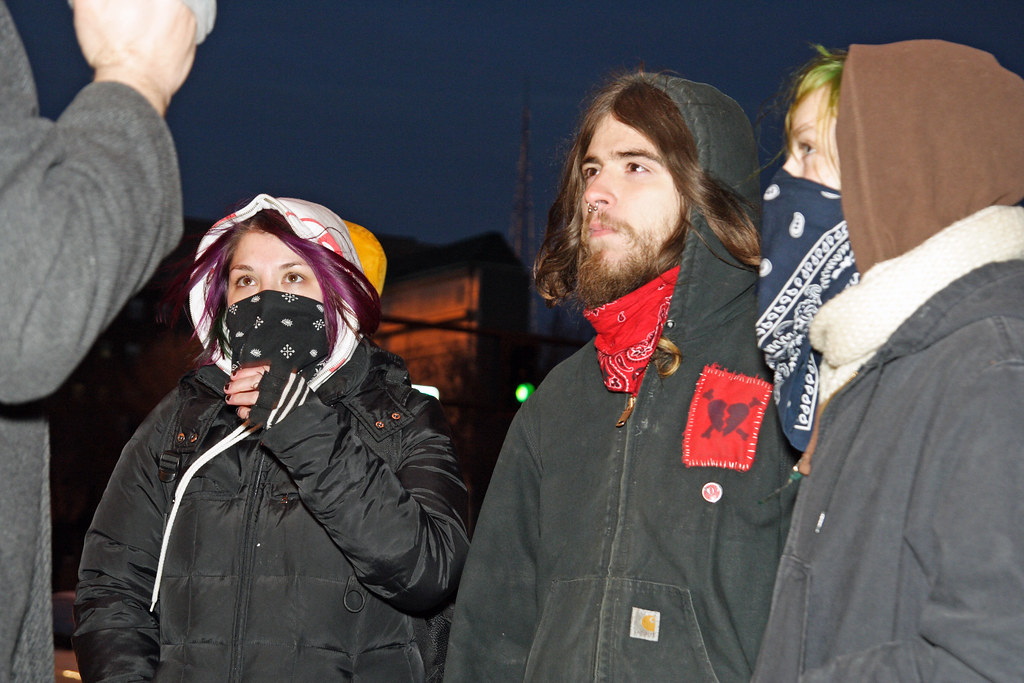
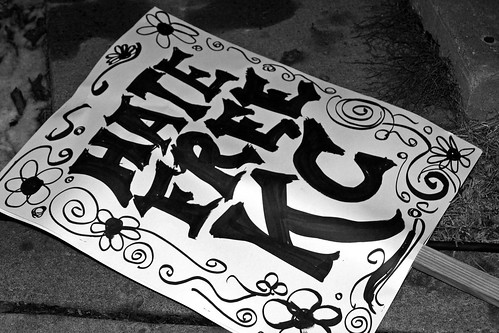
There were a group of young people who did not seem to be part of the original protest. They were all dressed similarly and several wore bandannas over their faces, which they said was due to the cold. The original group of protesters was very organized and the leaders were controlling the participants to avoid any kind of conflict. This group of young people was completely the opposite and had very foul mouths. Even so, they seemed interested in avoiding any kind of physical conflict.At this point you are probably wondering, "What about the Minutemen?" Well, their side of the event was pretty boring. There was one lady outside with a homemade sign, and one other man with a printed sign. Most of their activities were focused on the meeting which started at 7pm. I am not omitting them on purpose, there just was not much to show.Toward the end of my time there, three more young people showed up dressed in costume. The costume that caught my attention most was of a white knight of the KKK.The atmosphere of the entire event was tense with strong emotions on both sides. But, there was no violence and everyone seemed pretty well behaved. In all, it was an example of free speech in action where everyone can speak their mind.

Tuesday, January 29, 2008

Too cold to photograph? Post process instead!

I don't know how it is where you live, but here in Kansas City it is way cold! It has been that way for months now and I have had my fill of going out in the cold and shooting snowy scenes. I am also burned out on studio work right now. So...what to do?
One of the weakest parts of my overall photography skills is post processing. Taking photographs is fun...looking at photographs is fun...processing photographs is work and is boring! Well, not always, but in general I don't like the post processing phase nearly as much as I like taking photographs. Since I was trapped inside and was burned out on taking pictures, it seemed like a good opportunity to revisit this important area of photography. I have been working on my photography for about a year now and I have a pretty good supply of photographs to work on. It has always been my goal to get as much right as possible when taking the photograph so the need to post process would be minimized. Even so, I had no trouble finding several photographs that were good candidates that needed some pretty serious correction.
I shoot in RAW most of the time so all of my shots get a base level of processing using Canon's Digital Photo Professional (white balance adjustment, base sharpening, and basic contrast . For more serious correction I then move to GIMP because it is free. I recently picked up a graphics tablet and it came with a copy of Adobe Photoshop Elements 5.0 so I have two very nice packages for manipulating digital images. What I don't have is much skill with using them.
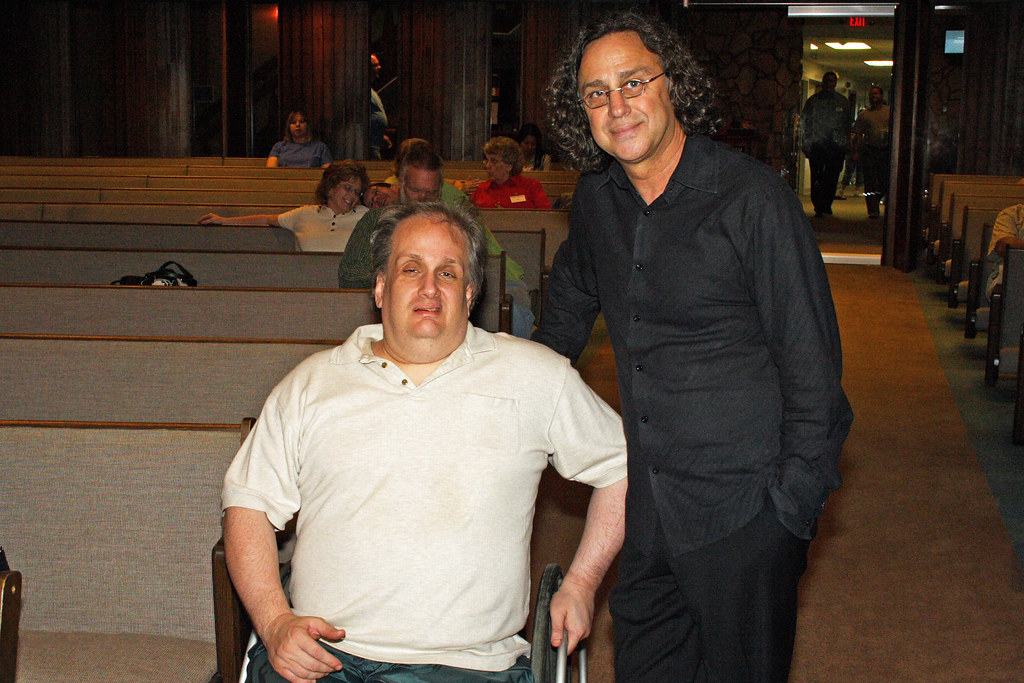
This photograph is one that immediately drew my attention. I was no happy at all when I took it. This my brother-in-law with Jimmy Bratcher. My BIL is a big fan of Jimmy so I was glad I got to take a photograph of them together. However, I had about 10 seconds to adjust my camera, get in position, and take the shot. The results were not very good.The overall scene is too dark. My BIL has stains on his shirt from dinner a few minutes earlier (which were not his fault BTW), and there are no shortage of distracting elements (click on the image to bring up a larger version and you can see what I mean).
The first thing to do was lighten the overall image. PSE has a smart adjustment tool that did a great job for that part. The next thing was the stains on my BIL's shirt. I used the clone tool to carefully clone out as many of these as I could without losing the texture of the shirt which would have made the shirt look flat. I also cropped in closer on the subjects to remove as much distraction as possible from the edges of the photograph. My wife's hand on the left of the image was all that was left of her after the crop and I found it distracting, so I cloned that out also. There are two flash reflections in the upper right of the photograph that I did not like. I started using the dodge and burn tool but I was not happy with the results. These areas were completely blown out so I turned to the clone tool again to repair the blown out parts. Here is the end result.

It is still a hack job, but in my opinion it is much better. We will probably never have a chance to retake this photograph so making this photograph as good as I can for my BIL is important to me. My BIL is so gracious and was happy with the original photograph, but I am glad I will get to present him with this improved version.

A second photograph I found to work on was of my daughters in a carnival ride. I did not realize it at the time, but the flash reflection in between the girls is really distracting.
Again, this area is blown out completely so there is no detail to restore. I thought the burn tool might help here, but I was not getting the results I wanted. I thought about using the clone tool, but that did not seem like the right tool for this job. Instead I turned to the spray brush tool. I sampled the brown of the background and slowly began painting in the blown out highlights. It was not my intent to completely replace this area, but rather to keep it more natural looking in which case this area would still be be lit a little more. This is the result:I am pretty happy with the result, but what do you think? If you did not know how it looked before, would this appear natural to you? Or, does it look hopelessly photoshopped?

The hard thing about post processing is knowing when to stop. Once you start making changes it is easy to just keep going. The risk is that the image will not look natural anymore. I like the way these turned out, but even if they are not masterpieces, I learned a lot more about how Photoshop works, and that was the goal of the exercise.
Monday, January 28, 2008

The missed shot...photographer or participant?

There is no photograph for this entry. That is because I missed the shot I wanted. We were at church and a spontaneous event happened when the worship leader had the entire church gather around our senior pastor and pray for him. Our senior pastor, Pastor John, was fighting off a sore throat and possible laryngitis. Unfortunately, Pastor John was also scheduled to speak for three days at a Ministry Leadership Conference for the next three days, and laryngitis would make this especially difficult. As we were all gathering around Pastor John it dawned on me how unusual an even this was, and I thought this would make a wonderful photograph (or at least it had the potential for one). However, I also realized that meant I had to shift very quickly from being a participant in the service, and more specifically, this opportunity to minister to the man who so regularly ministers to me, and roll into photographer mode. Decisions...decisions.
In the end I decided to stay and participate. I would have made a horrible photojournalist. I don't transition quickly enough between participating in and event and photographing it. In fact, I find I need to psyche myself up for most of my photoshoots. Conversely, if I go to an event as a photographer I participate very little and am constantly scanning for good shots. I am very compartmental this way.
So, is this just the way photography works? Are most photographer's this way? Or, are there those that can flow quickly between both modes without even thinking about it? Does this just come with experience? This is more of a curiosity to me than anything else. I am sorry I missed the shot I wanted, but it was a fair exchange for the opportunity to pray for Pastor John in his hour of need.

Wednesday, January 16, 2008

Does all photography stuff have to be expensive???

Anyone who has been a photographer for long knows that photography equipment is expensive. There is always something else to buy and anything that is labeled for photography seems to instantly double or triple in price. So, do you HAVE to spend tons of cash to get great results? Well, maybe not for everything.

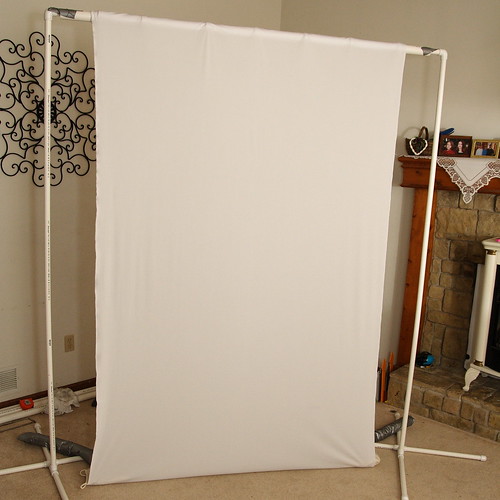
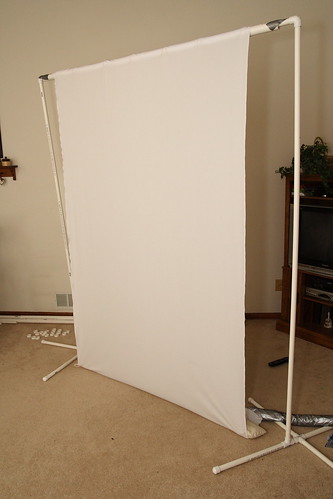
I needed a backdrop frame for a job. It needed to be portable so I could transport it to the shoot location. Professional portable backdrop frames cost hundreds of dollars and usually come without backdrops. The backdrops alone can run several hundred more for EACH additional backdrop. Now, hundreds of dollars is something I don't mind investing in high quality lenses or maybe a new camera body, but on backdrops? Come on!

So, off to the Internet I went. Surely someone out there had already designed a cheap and portable backdrop frame. It did not take me long to find a design I liked. I found one at Kenrick Parrish's website that looked exactly what I needed.

All the instructions for building this are detailed at his site, so I won't go into that here, but the important part is I was able to put the entire package together for around $50. The other nice thing about this stand is it is easy to change out backdrops. If you keep your eyes out for sales at the fabric stores, you can secure some very nice, heavy backdrops for $30-$50. Then you can use this system to roll them up when they are not in use which keeps the wrinkles out. If you are looking for a backdrop stand on the cheap, I encourage you to check out this system.

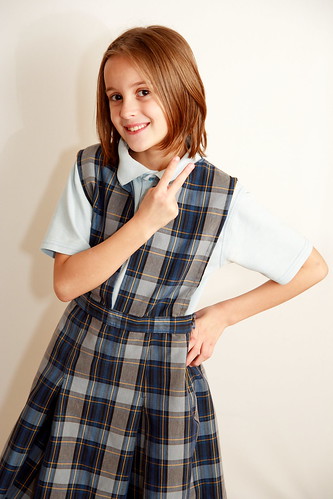
Now, having said how much I like this system, I still am not thrilled with my portrait results. I get better each time, and I keep learning more and more, but I have a long way to go. There are still way too many visible shadows (as you can see on the top photograph and in the one of my daughter below). These would probably be less noticeable on a backdrop that was not pure white, but I want to minimize them as much as possible regardless of the backdrop color. (Just a reminder, you can click on the photographs to see a larger version. The don't seem to render very well in my blog for some reason.)

I am working on moving my flash off to the side with a wireless trigger and umbrella stand, but again, that all costs money. I have also been told to move my models farther out from the backdrop, but my current backdrop is too narrow and when I move them out, you can see the edge of the backdrop in the photographs. But, the important thing is I was able to use this system to meet the specific goals of this shoot without breaking the bank.

Oh, and my daughter loves to "peace out" in front of it. That alone makes it worth the price, right?

Tuesday, January 1, 2008

Christmas Play and my new lens


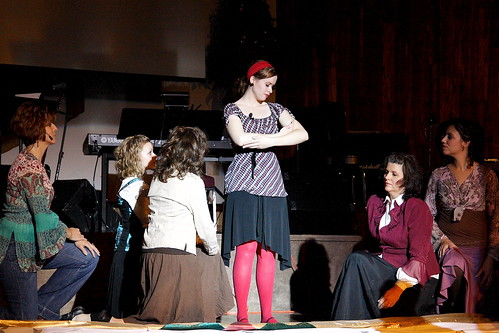
Velveteen rabbit 008
Originally uploaded by Chris in KC
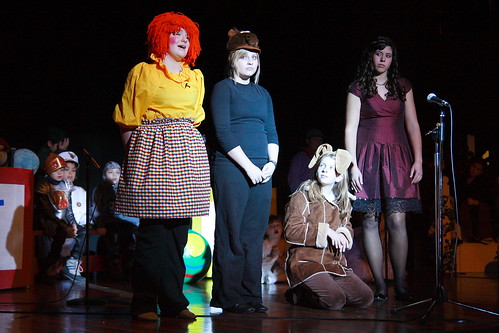
When I started shooting with my DSLR, I never imagined how much shooting I would do inside. Shooting indoors brings a host of challenging lighting issues with it. When people are considering a new lens, I always encourage them to buy the fastest lens they can (F/2.8 or better throughout the focal range) so they will get better results when shooting in challenging lighting. This same advice was given to me, and the more I shoot, the more I see the wisdom in it. I recently photographed my church's Christmas play, which came in two parts, one performed by children and the second performed by adults. My wife bought me a Tamron 17-50 F/2.8 lens for Christmas and this is the lens I used.
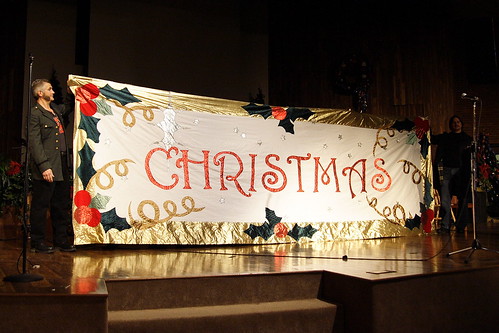
These types of events are fun, challenging, and frustrating all at the same time. The light range was tremendous. Sometimes the stage was barely lit at all and other times a blinding white spot light was employed. I was constantly scrambling to adjust my settings. I have shot photographs in this venue several times before (all of the Jimmy Bratcher shots were shot here), but in previous events the lighting has been very consistent. The upside is that when the brighter lights were employed I was able to up my ISO to 800 for slightly less noise. I hate noise in my photographs, but I have not figured out a way to shoot at higher ISOs in this setting, so I have to rely on noise reduction software to assist in the post processing phase.
My new lens performed very well. I wish it had been longer for certain shots, but that is my only complaint, and I was well aware of the range limitations when I purchased it. I had often heard people describe the results from this lens as "creamy" and I never understood what them meant until I began using it. The color quality from this lens is far superior to the Canon kit lens I was using.
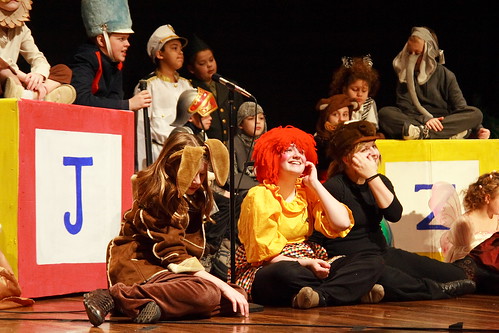
The white spotlight posed the most problems for me. It was very difficult to keep from blowing the highlights. The white light was also very unnatural, however. This shot of the Velveteen rabbit and other nursery room toys illustrates that. This is actually how that looked. In my opinion they should have used some kind of filter to soften the effect or give it a slightly yellow cast. I was able to change some of those shots in post by playing with the white balance and forcing it to something that looked more natural.

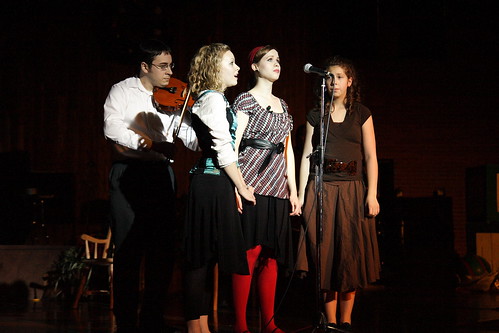
I need to consider using my flash more in events like this. I usually don't because I don't want the flash to distract the audience and the performers. I think I am overly sensitive to this, however. Towards the end of the performance I realized many others were using their flash and I had not noticed myself. There is a difference between the flash on a point and shoot, however, and the flash from my 430EX which is much more powerful. I also don't like the results from using a flash for this type of performace because it lights up too much of the background. The angel shot above is a great illustration. In this shot (taken without a flash) the background becomes almost completely black which hides the instruments, microphone standes and other distractions.

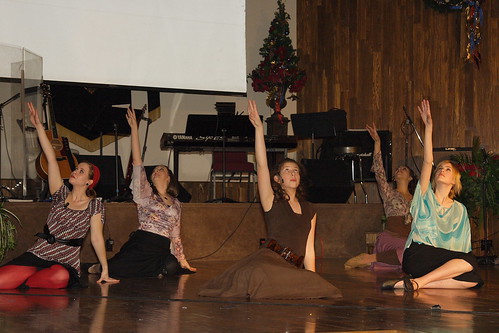
In this shot of the dancers I used a flash which lit the entire scene evenly so the background distractions were lit just as much as the dancers themselves. There was very little stage light used during this scene with the dancers, so without the flash I would not have gotten the shot, but the end result is not one I like with all the distracting items visible.

I keep shooting...I keep learning. Nine months ago my photographs would have been much worse. There is an art to learning when to use natural/ambient light and when to use the flash. I can see that with more experience, I am better able to make decisions on when I should use each.

Here are a few of the shots I liked best.

Wednesday, December 26, 2007

Family Christmas Photographs

Did you have a good Christmas? I did. I got to spend time with family and eat a lot of good food (now I have to get back to the gym). For a photographer, Christmas is filled with lots of opportunities to take photographs. There is a tendency to try to photograph everything, which I think is a mistake. The subjects in our photographs can become irritated if they are constantly being photographed. There are also several events that are very fun to participate in, but are not much fun to look at later. I put opening presents in this category. I have looked at lots of pictures of people opening presents and I find them boring. I also find the rushed nature of opening presents often yields photographs that are blurry, or poorly composed, or poorly exposed, or a horrible combination of all three. The subjects are seldom caught at their best either. The one exception to this might be children opening their presents, but even then one should be careful not to overdo it or you end up with lots of photographs that are all basically the same.

Keeping that in mind, I went out of my way to deliberately take only high quality photographs of the family members this year. We spent Christmas Eve with my wife's family. There was another photographer there who was taking photographs and we all worked with her to get some group portraits. She was doing a fine job, and I saw no reason to take photographs myself at this event, so I left the camera in the bag for the most part.

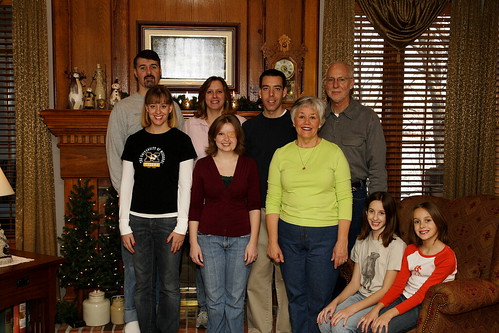
On Christmas Day we were at my Father's house and everyone was interested in a family portrait, so we spent some time choosing a location and I set up my tripod and began taking test shots. The background we chose had two windows in it. What typically happens is that I expose for the lighting indoors and the highlights in the windows get blown out completely. I was very conscious of this and metered for the windows instead. I love the look of a photograph where the subject are properly lit, but you can also see what is outside the windows as it just looks more natural.

Metering on the windows meant the indoor part was going to be very dark, so I had to use the flash to properly light the subjects. I played with bouncing the flash off a few different walls, but ultimately settled on bouncing it off the ceiling as the best choice. I also used the "better bounce card" to throw some of the light forward. I settled on ISO400, 1/125th shutter, and F/9 with +1/3 flash exposure. By putting the camera on the tripod I was able to use my remote shutter release and this made being in the photograph myself very easy. We took about 8 exposures and reviewed them each time making changes to where people stood, how they held their arms, etc. The photograph at the top is the culmination of our efforts. The size presented here does not give the best viewing results, so I encourage you to click on it and look at a larger version. It is not perfect, but I was pretty happy with the results.

The number one thing wrong with this photograph?...the bright flash reflection in the picture behind the subjects. I knew this was going to be a problem, but I got caught up in all the other details, and never changed the position of the camera. I probably could have moved the camera 5 feet left or right and eliminated (or at least reduced) the flash reflection. This is the kind of thing that I may be able to fix in the post processing stage as I learn more about PhotoShop and similar programs. For now, I am just going to have to live with it and hope the family is not too disappointed.

The bottom line is that we spent maybe 20 minutes on photographs, and then I simply enjoyed the rest of the day. I also don't have a ton of boring photographs that no one will care about looking at later. A few of the other family members used their point and shoots to take a few photographs, but they also kept their exposures to a minimum and only took specific shots they were interested in. Now, don't get me wrong. I like to take LOTS of photographs, and I frequently overshoot a subject, especially when I am experimenting with lighting, composition, etc. This is an excellent way to learn. I just feel family events call for a more measured and calculating approach so the subjects don't get burned out, the photographer can participate and have fun, and the end results will be something everyone wants to see.

Friday, December 21, 2007

The best of 2007

Someone over at dpreview started a thread on their best photographs of the year. I thought this sounded like an excellent idea and decided to look back through my own photographs. My Flickr account now has over 400 photographs which were all taken in the last 12 months. I figured they couldn't ALL be bad, and a careful review found a few gems I am actually quite proud of.

This first photograph is from one of my first studio sessions. I envisioned it being used in an article dealing with violence and weapons at school. Alas, no one else was interested in it, but I quite like it.


This next shot was a barn fire I photographed this summer. I had been working on a Saturday and when I walked out of the office I saw this plume of smoke nearby. I beat the fire department there by just a few minutes and was able to get into a pretty good position without getting in their way. The barn was filled with hay and it burned very quickly. No one was hurt, but the barn was a total loss.


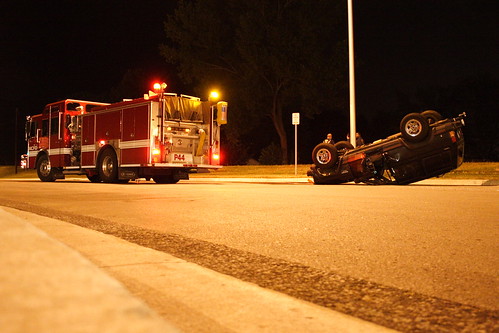
I was on the way home one night when I saw quite a few emergency vehicles nearby. I arrived on the scene in time to photograph this roll-over accident. No one was seriously injured, but the driver that caused the accident was arrested for drunk driving.


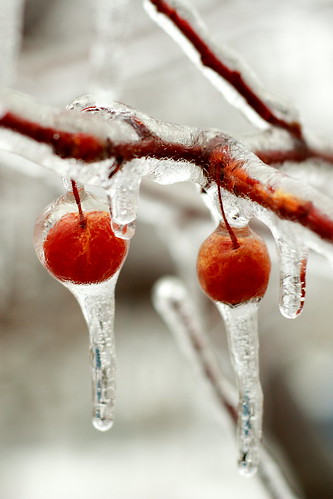
We recently had a pretty strong ice storm roll through. While it was devastating for many in the local community, it also made for some very interesting photographs. This is my favorite photograph of the entire year.
I have a long way to go as a photographer, but I have learned a LOT this year. Keeping this blog has helped keep me on track. I am also very glad I started my portfolio on Flickr. This has been an excellent tool for storing my best photographs, sharing them with others, and having a record of my progress. I can't wait to see where I end up next year.

If you are reading this, thanks for stopping by. I hope you have a wonderful and happy Christmas season. I pray God will bless you and your family with health, happiness and prosperity.

Chris